

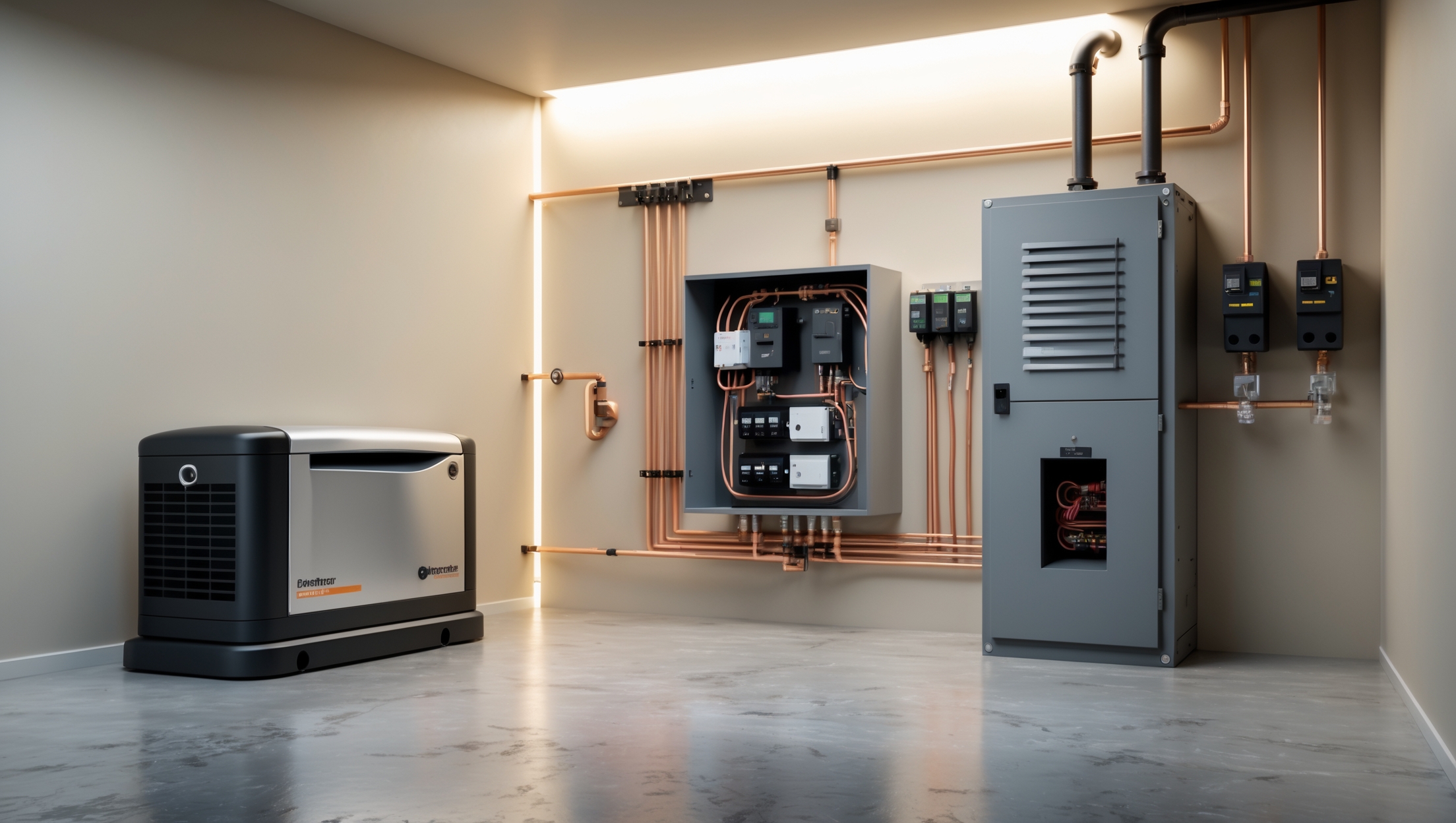
Introduction: Why Electrical Power Outage Preparedness Matters
Power outages can strike unexpectedly, whether caused by severe weather, grid failures, or planned maintenance. For homeowners, the impact ranges from minor inconveniences to serious safety hazards, especially for those relying on electrically powered medical devices, home offices, or essential appliances. Without adequate preparation, a blackout can lead to food spoilage, security risks, loss of heating or cooling, and potential damage to sensitive electronics. That’s why a robust approach to electrical system preparedness is essential, ensuring your home remains safe, functional, and comfortable when the lights go out.
This guide delivers expert insight into power outage preparedness from the perspective of your home’s electrical system. We’ll explore practical strategies for backup power, discuss the types of generators and battery systems, share tips for safe installation and operation, and offer maintenance best practices. Whether you want to keep the essentials running or power your entire house during a blackout, this comprehensive resource will help you make informed decisions and avoid common pitfalls. Let’s dive in and make your home resilient against the next unexpected outage.
Assessing Your Home’s Backup Power Needs
Identify Critical Circuits and Appliances
The first step in outage preparedness is to determine which circuits and devices are essential. Make a list of:
- Refrigerator and freezer
- Medical devices
- Heating and cooling systems (furnace, sump pump, AC)
- Lighting in main living areas
- Wi-Fi router and communication devices
- Security systems
Check the wattage or amperage of each. If in doubt, consult device manuals or labels. This information will help you size your backup system correctly.
Evaluate Power Consumption
Sum up the running and starting wattages for all critical items. Many appliances, like refrigerators and pumps, require extra power to start. Factor this into your calculations, as undersizing your backup system can cause failures or damage.
Consider Duration and Frequency of Outages
- Short, infrequent outages may only require a portable generator or battery backup for a few hours.
- Longer, more frequent outages (common in rural or storm-prone areas) may justify investing in a whole-home standby generator or larger battery storage.
Backup Power Options: Generators vs. Battery Systems
Portable Generators
Pros: Affordable and flexible; can power selected circuits or appliances. Simple to store when not in use.
Cons: Require manual setup; limited runtime based on fuel; must be used outdoors to avoid carbon monoxide risks; can be noisy.
Ideal for: Short-term outages, budget-conscious homeowners, or those needing to power only a few essentials.
Standby (Whole-Home) Generators
Pros: Automatically switch on during outages; can power the entire home or selected circuits; run on natural gas or propane, offering extended runtime; weatherproof and permanently installed.
Cons: Higher upfront and installation costs; require professional setup and permitting; periodic maintenance needed.
Ideal for: Homes in areas with frequent or long outages; those needing seamless backup for all systems.
Battery Backup Systems (Home Energy Storage)
Pros: Silent operation; zero emissions; can integrate with solar panels for renewable energy; low maintenance; can be installed indoors.
Cons: Limited capacity for high-draw appliances; higher cost per kilowatt-hour backup; may require electrical upgrades; not suitable for very long outages without solar recharge.
Ideal for: Homes with solar panels; those prioritizing clean energy; powering critical low-to-moderate loads for short durations.
Electrical Integration: Transfer Switches and Interlock Kits
The Role of Transfer Switches
Transfer switches are essential for safely connecting backup power to your home’s electrical system. They prevent backfeeding (which can endanger utility workers), isolate your home from the grid, and allow you to control which circuits receive backup power. There are two main types:
- Manual transfer switches: Require the user to switch from utility to generator power manually; lower cost.
- Automatic transfer switches (ATS): Seamlessly switch power sources during an outage; essential for standby generators.
Interlock Kits
For homes using portable generators, an interlock kit can be a cost-effective alternative to a transfer switch. It mechanically prevents both the main breaker and the generator breaker from being on at the same time, ensuring safe operation. Local codes vary—always consult an electrician to ensure compliance.
Professional Installation and Permits
Installing transfer switches or interlock kits requires working inside your electrical panel, a task best left to licensed electricians. Many jurisdictions require permits and inspections for this type of work to ensure safety and code compliance.
Generator Selection and Sizing: Avoiding Common Pitfalls
Calculating the Right Size
A common mistake is underestimating generator size. Always:
- Calculate starting (surge) wattage for each major appliance
- Add up all simultaneous loads you plan to power
- Select a generator with at least 20% more capacity than your total requirement
Oversizing is preferable to prevent overloading and to accommodate future needs.
Fuel Type Considerations
- Gasoline: Widely available, but has a limited shelf life and requires safe storage.
- Propane: Burns cleaner; can be stored indefinitely in tanks; less energy per gallon than gasoline.
- Natural Gas: Unlimited supply if your home is connected, but outages can sometimes affect gas service.
Noise and Location
Install generators at least 10–20 feet from windows and doors to avoid carbon monoxide intrusion. Check local ordinances for noise restrictions and setback requirements.
Safe Operation and Maintenance of Backup Systems
Generator Safety Checklist
- Operate generators outdoors on a dry, level surface
- Never run a generator in a garage, basement, or enclosed space
- Use extension cords rated for outdoor and generator use; avoid overloading
- Install battery-operated carbon monoxide detectors in your home
- Follow manufacturer’s instructions for startup, shutdown, and load management
Routine Maintenance Best Practices
- Run portable generators monthly to keep the engine lubricated
- Change oil and filters per manufacturer’s schedule
- Inspect and replace spark plugs, air filters, and fuel stabilizer if stored long-term
- Test standby generators automatically via built-in self-tests; schedule annual professional service
- For battery systems, monitor state of charge and test backup circuits regularly
Fuel Storage and Handling
Store gasoline in approved containers, away from living areas and ignition sources. Use fuel stabilizer for storage over 30 days. Propane tanks should be inspected for leaks and corrosion annually.
Electrical Panel Labeling and Load Management
Panel Labeling for Emergency Use
Clearly label backup circuits in your main panel so you and your family know which outlets and appliances will operate during an outage. Use color-coded stickers or an updated panel directory for clarity.
Effective Load Management
- Stagger the use of high-wattage appliances to avoid overloading your backup system
- Unplug non-essential devices before connecting to generator power
- Educate household members on which circuits to use during outages
Integrating Solar Power and Home Energy Storage
Solar-Ready Backup Solutions
If you have (or are considering) solar panels, pairing them with a home battery system can provide renewable backup power. However, most grid-tied solar systems automatically shut off during an outage for safety. Only systems with battery storage and an appropriate inverter (islanding capability) can continue providing power during blackouts.
Choosing the Right Battery System
- Assess capacity (kWh) needed to run critical loads for your desired duration
- Evaluate recharge rate and compatibility with your solar inverter
- Plan for expansion if your backup needs may grow
Lithium-ion batteries (e.g., Tesla Powerwall, LG Chem) are popular for their longevity and safety profile, but always consult your solar provider for system integration and code compliance.
Budgeting and Cost Considerations
Upfront Costs
- Portable generators: $500–$2,500 (plus transfer switch and installation)
- Standby generators: $5,000–$12,000 installed (varies by capacity and fuel type)
- Battery backup systems: $7,000–$20,000+ depending on capacity and solar integration
Factor in installation costs, permits, and required upgrades to electrical systems.
Ongoing Maintenance and Fuel Costs
- Annual servicing for standby generators ($200–$500/year)
- Fuel for portable generators (varies based on usage and fuel type)
- Battery replacement after 8–15 years for most systems
Potential Incentives
Check for local, state, or federal incentives for solar-plus-storage or energy resilience upgrades. Some utility companies offer rebates or reduced rates for homes with backup power systems that can support the grid during peak demand.
Compliance, Permits, and Insurance Implications
Permitting and Code Compliance
Most localities require permits for standby generator installation, transfer switches, and major electrical upgrades. Permits ensure the work meets National Electrical Code (NEC) and local standards, which is critical for safety and insurance coverage.
Insurance Notifications
Notify your home insurance provider after installing a permanent generator or battery system. Proper documentation ensures you’re covered in the event of a malfunction, fire, or fuel spill. Some insurers offer discounts for homes with professionally installed backup power systems.
Family Emergency Planning and Communication
Home Safety Protocols
- Discuss outage response plans with all household members
- Keep emergency lighting (flashlights, lanterns) in accessible locations
- Have a list of critical phone numbers (utility, electrician, emergency services) posted near your panel
- Regularly review and practice safe generator and battery operation
Communication During Outages
- Keep phones and backup battery packs charged
- Use portable radios or battery-powered emergency alert systems
- Share your outage plans with neighbors, especially if anyone in your home relies on powered medical devices
Conclusion: Building Long-Term Resilience
Power outages are a fact of modern life, but with thoughtful planning and the right electrical backup strategies, you can protect your home, comfort, and safety. Start by identifying your critical circuits and evaluating your backup needs. Carefully select the right generator or battery system, paying close attention to sizing, fuel type, and integration with your home’s electrical panel. Always prioritize safety—use the proper transfer equipment, maintain your backup power sources, and educate your family on safe procedures.
Don’t overlook the importance of permits, code compliance, and insurance notifications; these steps safeguard your investment and ensure your system will work when you need it most. If you have solar panels or plan to add them, explore battery backup options that maximize your home’s resilience and sustainability. Budget for both upfront and ongoing costs, and take advantage of incentives where available.
Ultimately, preparedness is about more than just keeping the lights on—it’s about ensuring peace of mind, protecting your loved ones, and maintaining independence when the grid goes down. By following the practical strategies outlined in this guide, you’ll be well-positioned to weather the next outage with confidence and minimal disruption.
The article mentions the importance of safe installation and maintenance for generators or batteries. What are the key steps homeowners should take to avoid common mistakes during setup, and are there annual maintenance tasks most people overlook?
When setting up generators or batteries, homeowners should always follow manufacturer instructions, ensure proper ventilation to prevent carbon monoxide buildup, and use a licensed electrician for installation to avoid wiring hazards. Common setup mistakes include overloading circuits and placing generators too close to the home. For maintenance, people often overlook testing backup systems under load at least once a year, checking battery connections for corrosion, and keeping fuel fresh for generators. Regularly inspecting transfer switches and cleaning intake/exhaust vents are also important for long-term reliability.
When figuring out which circuits and devices are essential for backup power, do you have any tips for ranking their importance? For example, is it better to prioritize medical devices over heating or cooling systems, or does it depend on household needs?
Prioritizing circuits for backup power should be based on your household’s unique needs. Medical devices that are vital for health and safety should always come first. Next, consider essentials like refrigeration, basic lighting, and communication devices. Heating or cooling systems can be important, especially in extreme climates, but may come after life-sustaining equipment. Make a list of your devices, note their importance, and consult everyone in your household to ensure nothing crucial is overlooked.
When figuring out my home’s backup power needs, how do you recommend handling appliances that have a high starting wattage compared to their running wattage? Is there a rule of thumb for sizing a generator or battery system to cover that surge without overspending?
When sizing a generator or battery system, it’s important to account for the highest starting wattage of your major appliances, not just their running wattage. A good rule of thumb is to add up the running watts of all critical loads, then add the highest surge wattage from appliances that may start at the same time. Many recommend sizing your system about 20-25% above this total to handle brief surges without overspending on capacity.
If I only want to back up my fridge, Wi-Fi router, and a couple of lights, would a portable generator be enough, or do I need to look at installing a full home backup system? I’m worried about both cost and installation complexity.
A portable generator should be sufficient for backing up just your fridge, Wi-Fi router, and a few lights. These devices don’t draw a large amount of power, so you don’t need a full home backup system. Portable generators are much more affordable and simpler to set up, making them a practical choice for your needs and concerns about cost and complexity.
Is there a relatively affordable backup solution for keeping just our refrigerator, Wi-Fi, and a few lights on during a blackout, or do we really need to invest in a full-home generator setup?
You don’t need a full-home generator if you only want to power essentials like your refrigerator, Wi-Fi, and a few lights. A portable inverter generator or a battery backup system (such as a portable power station) can handle these loads at a much lower cost. Just make sure to check the wattage requirements of your appliances and choose a backup solution that meets those needs.
The article mentions both generators and battery backup systems for maintaining power during outages. Could you explain the main pros and cons of each option, especially in terms of cost, noise, and ongoing maintenance requirements for a typical house?
Generators generally have a lower upfront cost than battery backup systems, but they tend to be noisy and require regular maintenance, such as fuel checks and oil changes. Battery backup systems are much quieter and need less maintenance, mainly occasional inspections and software updates, but the initial installation cost is higher. Batteries are also better for short outages, while generators can handle longer periods if fuel is available.
When figuring out which circuits and devices are critical, how do you handle situations where more than one person in a household has different essential needs, like medical devices and working from home? Is there a recommended way to prioritize or balance these needs when sizing a backup system?
When multiple people have different critical needs, start by listing all essential devices for each person, like medical equipment, computers, and necessary lighting. Assign priority levels—life-sustaining devices always come first, followed by work-related tech and comfort items. When sizing your backup system, total the highest-priority loads and ensure your system can handle them simultaneously. If not all devices can run together, consider using transfer switches or load management to rotate usage based on urgency during an outage.
When considering critical circuits and appliances for backup, do you recommend prioritizing all heating and cooling systems or just the most essential ones? For example, should a sump pump take precedence over air conditioning if my budget limits the capacity of a generator?
When choosing which circuits and appliances to back up, it’s best to prioritize those that address immediate safety and property protection. Essential systems like sump pumps, refrigerators, and medical devices usually come before comfort items such as air conditioning. If your budget or generator size is limited, ensure critical equipment like sump pumps are covered first, since they prevent costly damage, then consider adding other appliances as capacity allows.
Once I’ve listed out the wattage for all my critical devices, what are the next steps to actually choosing and installing a backup system? Is there a rule of thumb for deciding between a portable generator and a more permanent solution?
After listing your critical devices and their wattage, add up the total to determine the capacity you need from a backup system. For choosing between a portable generator and a permanent standby generator, consider how often you experience outages and how much convenience you want. Portable units are good for occasional use and lower costs, but they require manual setup. Standby systems are more reliable and automatic, but cost more and require professional installation. Always consult an electrician to ensure safe and proper setup.
When listing out critical circuits and appliances for backup power, how do you recommend prioritizing if my total wattage ends up being more than what a typical backup generator can handle? Are there tips for deciding what absolutely needs to stay on versus what can be temporarily off?
When your total wattage exceeds your generator’s capacity, start by listing what you absolutely need for safety and health—like the refrigerator, essential lights, medical equipment, and heating or cooling if temperatures are extreme. Next, consider what you can do without for a while, such as laundry machines or entertainment devices. Prioritize items that protect your food, safety, and comfort. If possible, use transfer switches or circuit breakers to manually turn off less critical circuits during an outage.
When it comes to installation, is it safe or even possible for a first-timer to set up a backup generator by themselves, or does it always require a licensed electrician? I’m worried about safety but also trying to stay within a tight budget.
Setting up a backup generator can be risky if you’re not experienced with electrical systems. While portable generators can sometimes be set up by homeowners for temporary use, connecting a generator directly to your home’s wiring or installing a transfer switch should always be done by a licensed electrician. This ensures both your safety and compliance with local codes, even though it might cost more upfront.
The article mentions calculating both running and starting wattages for appliances. Could you clarify the best approach for estimating starting wattage if the appliance manual doesn’t specify it? Are there typical multipliers or resources that can help homeowners make an accurate calculation?
If your appliance manual doesn’t list the starting wattage, a common method is to estimate it by multiplying the running wattage by a typical surge factor. For most appliances with motors, like refrigerators or air conditioners, the starting wattage is usually 2 to 3 times the running wattage. For example, if an appliance uses 500 running watts, its starting wattage might be 1000 to 1500 watts. When in doubt, use the higher end of the multiplier to ensure your backup system is sufficient.
If I’m on a tight student budget but want to prepare for short-term outages, are there affordable backup options you’d suggest for keeping just the basics—like lighting and charging devices—running safely, without installing a full generator?
Absolutely, you don’t need a full generator for basic needs. A rechargeable power bank or a small portable battery station can keep your phone and other small devices charged during outages. For lighting, consider USB-rechargeable LED lanterns or battery-powered lights. These are affordable, safe indoors, and easy to use without complex installation. Just remember to keep your backup batteries and lights charged and ready before any expected outage.
Have you found any practical way to keep sensitive devices like Wi-Fi routers and medical equipment powered reliably during outages without investing in a huge whole-house system? I’d love some tips for a more targeted, cost-effective battery backup approach.
Absolutely, you can protect sensitive devices without a full-house backup. For Wi-Fi routers and similar electronics, a small uninterruptible power supply (UPS) is usually sufficient and affordable. For critical medical equipment, consider a UPS with a higher wattage and built-in surge protection. Prioritize only essential devices when sizing your backup. Lithium battery power stations are another option—they’re portable and can power devices for several hours. Always check your equipment’s power requirements to match the right backup capacity.
The article mentions checking the starting versus running wattage for appliances like refrigerators and pumps. Is there an easy way for a beginner to measure these values accurately, or do I need special equipment to do it?
You can estimate your appliances’ running wattage by checking their labels or manuals, which often list the power consumption. Starting wattage is usually higher and may not be listed, but you can use a plug-in watt meter to measure running wattage. Measuring starting wattage is trickier and usually requires more advanced tools like a power analyzer. If you want an accurate measurement without investing in equipment, consider consulting an electrician.
If someone is on a tight budget, what are the most cost-effective strategies for electrical system preparedness that would still make a noticeable difference during an outage?
For those on a tight budget, focus on essentials like portable battery packs for charging devices, inexpensive LED flashlights or lanterns, and surge protectors to safeguard electronics. Consider a manual transfer switch if you think you might add a generator later. Also, unplug non-essential appliances during outages and keep your freezer and fridge closed to preserve food longer. These simple steps can make a significant difference without a large investment.
If I am trying to estimate how big of a generator or battery backup system I need, do I have to add up the wattage for everything that might run at once, including the higher starting wattage for items like refrigerators and sump pumps?
Yes, when estimating the size of your generator or battery backup, you should total the wattage of all devices you expect to run simultaneously. For appliances like refrigerators and sump pumps that have a higher starting wattage, be sure to use those peak numbers in your calculation. This ensures your backup system is powerful enough to handle initial surges as well as steady use.
I noticed you talk about both generators and battery backup systems for keeping essentials running during outages. How do I decide which one makes more sense for a small house on a tight budget, especially if I just want to cover the basics like the fridge and Wi-Fi?
For a small house with a limited budget, a portable generator is usually more affordable upfront and can easily power essentials like a fridge and Wi-Fi. However, generators need fuel and regular maintenance. Battery backup systems have a higher initial cost but are quieter and require less upkeep. If outages are rare and brief, a small generator may be enough. If you prefer something quieter and maintenance-free, consider a modest battery system, but check that it can handle your appliances’ power needs.
The article mentions checking manuals and labels for wattage info, but if some of my appliances are older or missing labels, are there other reliable ways to measure or estimate their power consumption before buying a generator?
If your appliances are missing labels or manuals, you can use a plug-in watt meter to measure their actual power draw—just plug the device into the meter, then into the outlet. For hardwired or larger appliances, you might check the manufacturer’s website, look for model numbers inside panels, or consult an electrician, who can make accurate measurements with professional tools.
I noticed the article talks about identifying critical circuits and checking wattage, but what’s the easiest way to find out the starting wattage for older appliances if the manuals are missing?
If you don’t have the manuals, you can use a plug-in watt meter to measure the actual starting wattage of appliances. For larger appliances that can’t be plugged in, check the data plate (usually on the back or inside the door) for amperage and voltage, then multiply these to estimate wattage. As a rough guide, starting wattage is typically 2 to 3 times higher than running wattage for motors and compressors.
When assessing which circuits are most critical for my bakery, should I prioritize refrigerators and ovens, or is it better to just focus on the essentials like lighting and Wi-Fi? I’m not sure how to balance food safety and business continuity during a power outage.
For a bakery, it’s important to prioritize refrigerators and freezers first to protect your ingredients and finished products from spoilage. Ovens can be a secondary priority if you expect to continue baking during outages. Essentials like lighting and Wi-Fi are also important for safety and running transactions, but food safety should come first to minimize inventory loss. Consider listing your most critical equipment, then rank them based on impact to your operations during an outage.
You mention the importance of keeping sensitive electronics safe during a blackout. Are there specific surge protection strategies or equipment you recommend when using backup power sources like generators or battery systems?
To protect sensitive electronics during a blackout, use high-quality surge protectors or uninterruptible power supplies (UPS) between your devices and any backup source like a generator or battery system. Look for surge protectors with a low clamping voltage and high joule rating. If you’re using a generator, make sure it has built-in voltage regulation or pair it with a line-interactive UPS to prevent power fluctuations from reaching your electronics.
If we’re looking at generators versus battery backup systems as mentioned in the article, what are the main differences in terms of ongoing maintenance and costs for a small business owner working from home?
Generators usually require more regular maintenance than battery backup systems, such as oil changes, fuel refills, and periodic testing to ensure reliability. They also have ongoing fuel costs. Battery backup systems, on the other hand, need less hands-on maintenance—mainly occasional inspections and potential battery replacement every few years—but may have a higher upfront cost. For a small business owner at home, generators can be more cost-effective in the short term but require more attention over time, while batteries are simpler but costlier initially.
If someone is prioritizing their home office and Wi-Fi during an outage but has a limited budget, what would be your suggested first steps for selecting and installing a backup power solution that keeps those essentials running efficiently?
For a home office and Wi-Fi on a limited budget, start by calculating the wattage needed for just your essentials—usually your modem/router, laptop, and maybe a desk lamp. Look for an uninterruptible power supply (UPS) sized to support those devices for several hours. Installation is simple: plug your devices into the UPS, and the UPS into the wall. This setup is affordable, efficient, and easy to expand later if your power needs grow.
The article mentions different generator and battery system types. For a home office with frequent short outages, is a battery backup safer or more practical than a portable generator when it comes to keeping my Wi-Fi, computer, and security system running reliably?
For a home office experiencing frequent short outages, a battery backup (such as a UPS or home battery system) is generally safer and more practical than a portable generator. Batteries provide instant, silent power without fumes or fuel, ensuring that sensitive devices like your Wi-Fi, computer, and security system remain uninterrupted. Portable generators are better for longer outages but require setup and proper ventilation, making them less convenient for short, frequent power losses.
If I sum up all the running and starting wattages for critical devices as recommended, what’s the next step in actually choosing and installing a backup power system? Is this something a homeowner can do, or do I need a certified electrician?
Once you’ve totaled the wattages for your critical devices, you’ll want to select a backup system—like a generator or battery backup—that can handle at least that load. While portable generators can sometimes be set up by homeowners, installing standby generators or transfer switches should be done by a certified electrician to ensure safety and compliance with local codes.
If I want to just back up my fridge, Wi-Fi, and a few lights during an outage, is a portable generator a realistic option or should I be looking at something more permanent like a transfer switch and home standby system?
A portable generator can absolutely cover essentials like your fridge, Wi-Fi, and a few lights during an outage. Just make sure the generator can handle the combined wattage. For occasional outages, this is usually sufficient. However, if you want a safer, more convenient setup, using a transfer switch allows you to connect the generator directly to your home’s circuits without running extension cords. A full home standby system is mainly needed for whole-house backup or frequent outages.
You mention calculating the starting versus running wattage for essential appliances. Could you elaborate on how to accurately assess these numbers for items like sump pumps and air conditioners, especially if the manuals are not available?
If the manuals for your sump pump or air conditioner are missing, you can still estimate their wattage needs. Look for a label on the device that lists volts and amps—multiply these numbers to get running watts. For starting (surge) wattage, it’s common to multiply the running watts by 2 to 3 times for motor-driven items like pumps and air conditioners. You can also use a plug-in watt meter to measure running load directly for plug-in devices. For hardwired appliances, consider using online databases or manufacturer websites, or consult an electrician for more precise measurements.
The article mentions factoring in starting wattages for items like refrigerators and pumps. Is there a practical way for a non-electrician to estimate these numbers accurately, or should I always consult a professional before sizing a generator?
You can estimate starting wattages yourself by checking the manufacturer’s label or manual for each appliance, which often lists both running and starting watts. For items like refrigerators and pumps, the starting wattage can be 2–3 times the running wattage. If you’re unsure, you can use online calculators or contact the appliance manufacturer. Consulting a professional is best for complex setups, but for basic household needs, these steps usually suffice.
When figuring out which appliances or circuits are most critical during an outage, how do you suggest prioritizing between things like heating, medical devices, and security systems if my backup power source can’t handle everything at once?
Start by listing appliances and systems that are essential for health and safety. Medical devices should take top priority, followed by heating or cooling if extreme temperatures are a risk. Security systems come next, as they help protect your home during outages. Once you know your backup power limits, distribute power to these in order of necessity, and consider rotating usage if possible.
The article mentions calculating starting wattages for things like refrigerators and pumps. Is there an easy way to figure out what those numbers are if I can’t find the info on the appliance labels?
If the appliance label doesn’t show starting wattages, you can estimate them by checking the owner’s manual or the manufacturer’s website, which often lists this information. For a rough estimate, multiply the running wattage by three for appliances like refrigerators and pumps, since their starting surge is typically much higher. You can also use a watt meter to measure actual usage, or contact the manufacturer directly for specifics.
Our budget is pretty tight right now. What are some affordable ways to get started with backup power for just the essentials, and are there any maintenance tips to keep a smaller setup reliable over time?
If you’re on a budget, consider starting with a small portable generator or a basic battery backup system to cover essentials like your fridge, lights, and charging devices. Prioritize the most critical circuits. For reliability, run your backup system periodically, keep fuel fresh (for generators), and check battery health every few months. Regularly inspect connections and clean any dust or debris that might affect performance.
If I want to keep costs down but still have backup for essentials like my fridge and router, what’s the most budget-friendly type of backup system you’d recommend based on your assessment steps? Is a portable generator enough?
A portable generator can be a cost-effective choice for backing up essentials like your fridge and router. Make sure to select a unit that provides enough wattage for both devices and use heavy-duty extension cords for safe operation. For short outages, a portable power station (battery-based) could also work, though it may have less runtime. Following the article’s assessment steps—listing your must-have devices and their power needs—will help you pick the right size generator and avoid overspending.
I’m interested in options for keeping my home office and medical devices running during outages, as mentioned in your guide. Would you suggest prioritizing a generator or a battery backup system for these, considering reliability and ease of maintenance?
For a home office and critical medical devices, a battery backup (such as a UPS or whole-home battery system) is often the best choice. Batteries provide instant, silent power during outages, require less maintenance, and are safer for indoor use compared to generators. Generators can support higher loads and longer outages, but need fuel and regular upkeep. If outages are short and reliability is key, go with a battery system; for long outages, consider combining both.
I’m trying to prioritize my budget for power outage prep. Given that some appliances like furnaces or sump pumps might need professional installation for backup connections, do you have tips for safely handling any parts of this myself or should I always hire an electrician?
For critical appliances like furnaces and sump pumps, it’s safest to hire a licensed electrician, especially when dealing with wiring or transfer switches. However, you can handle preparations like choosing and positioning your backup generator, using heavy-duty extension cords rated for your appliances, and reading all safety manuals. Never attempt to modify your home’s electrical panel or hardwire appliances unless you’re trained, as this can be hazardous.
You mention checking both running and starting wattages for critical devices. What’s the best way to calculate or find those numbers if I don’t have all the manuals for my appliances?
If you don’t have the manuals, you can often find wattage information on the appliance’s label, usually located on the back or bottom. For running wattage, check for labels that list watts (W) or amps (A)—multiply amps by volts for watts. For starting wattage, especially for devices with motors, estimate it to be 2-3 times the running wattage. Manufacturer websites or online databases can also help if labels are missing.
If I want to make my home resilient against outages but have a tight student budget, are there any affordable backup power solutions or smaller-scale strategies you would suggest for keeping just the basics running?
Absolutely, there are budget-friendly ways to improve your home’s resilience during power outages. Consider investing in a small portable power station or an uninterruptible power supply (UPS) for essentials like your phone, laptop, or a Wi-Fi router. Rechargeable LED lanterns or battery-powered lights are also inexpensive and useful. If you can safely do so, a basic inverter that runs off your car battery can temporarily power small devices. Focus on maintaining communication and lighting, and unplug other non-essential appliances to stretch your backup power further.
You mentioned both generators and battery systems as options for backup power. For someone on a budget, is it usually more cost-effective to start with a portable generator, or are there reliable battery solutions that make sense for just running the fridge and Wi-Fi?
For most people on a budget, starting with a portable generator is usually more cost-effective, especially if you only need to keep essentials like the fridge and Wi-Fi running. Battery systems can be reliable, but their upfront cost is generally higher for the same power capacity. However, if your power needs are very limited and you want a quieter, maintenance-free solution, smaller lithium battery packs designed for emergency use might be enough, though they may only last several hours depending on your fridge’s energy use.
When I’m checking the labels on my appliances to get their wattage, is it more important to focus on the running watts or the starting watts for devices like my furnace or sump pump? And what should I do if the wattage isn’t clearly listed?
For appliances like furnaces or sump pumps, pay attention to both the running watts and the starting (surge) watts. The starting watts are often much higher and are crucial for choosing the right backup system, since these devices draw extra power when turning on. If the wattage isn’t listed, check the manual or look for the amperage and voltage, then multiply them (amps x volts) to estimate the wattage.
I’m trying to figure out the total wattage I need to cover for a backup system, but I’m not sure how to account for appliances with a big difference between running and starting wattages. Do you have tips or rules of thumb for those calculations?
To size your backup system, start by listing all appliances you want to power, noting both their running and starting wattages. For appliances like refrigerators or AC units with high starting wattages, use the starting value in your total calculation if they might start up simultaneously. A good rule of thumb is to add up the running wattages for everything, then add the highest single starting wattage on top, since most devices don’t start at exactly the same moment. This ensures your backup can handle initial surges safely.
For someone with a tight budget, is there a recommended balance between investing in a portable generator versus a battery backup system, especially when it comes to powering essentials like the refrigerator and home office equipment?
If you’re on a tight budget, a portable generator is usually more cost-effective upfront and can handle essentials like a refrigerator and basic home office gear. However, battery backup systems are quieter and maintenance-free but typically cost more for the same power output. For most budget-conscious households, a small, fuel-efficient portable generator offers a practical balance between affordability and reliability for critical devices during outages.
If I’m on a tight student budget, which parts of the power outage preparedness checklist should I prioritize first to make sure I can at least keep my fridge and Wi-Fi running during a blackout?
If you’re on a tight budget, focus first on getting a small, reliable backup power source like a portable battery or a compact generator that can handle your fridge and Wi-Fi router’s combined wattage. Prioritize surge protectors for these devices and make sure you have extension cords if needed. Keep your backup power charged and test it occasionally to ensure everything works when the power goes out.
When figuring out which appliances are truly essential during an outage, is there a recommended way to estimate the power needs if the device labels are missing or unclear? Also, how do you handle items that might be intermittently used, like a microwave versus something that runs continuously?
If the device labels are missing, you can estimate power needs by looking up typical wattage ranges online for each appliance type or by using a wattmeter to measure the actual usage. For items used intermittently, like a microwave, consider both their wattage and expected usage time. Continuous devices, such as refrigerators, should be prioritized in your backup plan, as their ongoing power draw will impact your system more significantly.
I noticed the article mentions checking the wattage for each appliance, but some of mine don’t have clear labels or manuals. Any suggestions for figuring out power consumption in those cases so I can properly size my backup system?
If your appliances don’t have clear wattage labels or manuals, you can use a plug-in power meter to measure how much electricity each device uses. Just plug the appliance into the meter, then plug the meter into the wall to get a reading. For hardwired or larger appliances, you can search online for typical wattage ranges or consult an electrician to get an estimate.
When you mention checking the wattage or amperage for each essential item, is there a practical way to measure this at home if I can’t find anything in the manual or on the device label?
If the manual or label isn’t available, you can use a plug-in electricity usage monitor—these are small devices that plug into your outlet and measure the wattage or amperage as your appliance runs. For hardwired items, a clamp meter can measure current safely if you’re comfortable using electrical tools. If unsure, consider consulting an electrician, especially for high-powered or built-in equipment.
If someone is on a tight budget, what are the most cost-effective strategies for keeping critical devices like the Wi-Fi router and a few lights running during a power outage, especially if getting a whole-house generator is not realistic?
For a tight budget, consider using an uninterruptible power supply (UPS) to keep your Wi-Fi router and a few LED lights running during short outages. For longer outages, a portable power station or a basic inverter connected to your car battery can also help. Prioritize only essential devices to stretch your backup power further. These options are much more affordable than whole-house generators.
The article lists both generators and battery backup systems for keeping essentials powered during outages. Can you explain the pros and cons of choosing one over the other, especially in terms of long-term maintenance and reliability for a typical single-family home?
Generators are generally better for longer outages and can power more high-demand appliances, but they require regular fuel and engine maintenance. Battery backup systems are cleaner, quieter, and need less ongoing maintenance, but usually provide less power and may only support essentials for short periods. For long-term reliability, generators are robust but require care; batteries are low-maintenance but best for shorter or less frequent outages.
Could you elaborate on safe installation practices for backup generators, particularly when it comes to transfer switches or preventing backfeeding? I’m concerned about what steps should be taken to ensure both the home and utility workers stay safe during an outage.
To safely install a backup generator, always use a transfer switch—preferably a professionally installed automatic or manual type. The transfer switch isolates your home’s circuits from the utility grid, preventing dangerous backfeeding, which could endanger utility workers. Never plug a generator directly into a wall outlet. Be sure to follow all manufacturer instructions and local electrical codes, and consult a licensed electrician for installation to ensure all connections are properly grounded and your system is compliant and safe.
You mentioned both generators and battery backup systems as options. Could you explain the main pros and cons of each for a typical residential setup, especially regarding installation complexity, ongoing maintenance, and expected longevity?
Generators generally offer higher power capacity and can run for long periods if refueled, making them suitable for whole-house backup. However, they usually require professional installation, need regular maintenance like oil changes, and can be noisy. Battery backup systems are quieter, require less maintenance, and are easier to install—often wall-mounted and integrated with existing panels. Their main limitations are higher upfront costs and shorter runtimes, but they typically last 7–15 years and can be paired with solar for longer-term use.
Once I’ve identified my critical circuits and figured out my power consumption, what’s the recommended next step for a homeowner who’s on a budget? Should I prioritize a transfer switch upgrade, or is it more practical to start with portable solutions first?
If you’re working within a budget, starting with portable solutions like a portable generator is usually the most practical first step. These are generally less expensive and can keep your critical circuits running during an outage. If you find you need more convenience or frequent use, you can then consider upgrading to a transfer switch later, which allows for a safer and more streamlined connection to your home’s circuits.
If we’re on a tight budget, what are some practical ways to prioritize which circuits to back up first, especially when it comes to heating, cooling, and keeping food from spoiling?
When working with a tight budget, focus on backing up essential circuits first. Start with your refrigerator or freezer to prevent food spoilage, then consider critical heating or cooling systems if extreme temperatures are a concern. Lighting in key areas, like the kitchen or bathroom, can also be prioritized. Review your electrical panel and label these essential circuits, so your backup system is only supporting what you need most during an outage.
When you mention sizing the backup system based on starting and running wattage, is there a standard rule of thumb for how much extra wattage to add as a safety buffer? Or is it best to consult an electrician every time?
It’s common practice to add a safety buffer of about 20-25% above your calculated total starting wattage to account for unexpected surges and future needs. However, if your setup includes sensitive equipment or complex loads, consulting an electrician is wise to ensure accuracy and safety. For most residential needs, the buffer guideline works well.
If someone wants to gradually build up their outage preparedness on a budget, is there a recommended order for adding backup solutions, like starting with a portable generator before moving to a whole-home system or batteries?
Absolutely, a phased approach makes sense for budget-minded preparedness. Typically, starting with essentials like flashlights, battery-powered radios, and extra batteries is wise. Next, a portable generator is a cost-effective backup for critical appliances. Once your needs and budget allow, consider upgrading to more comprehensive solutions, such as a whole-home generator or a battery backup system for greater convenience and coverage.
I see the article mentions sizing the backup system based on the starting and running wattages of critical appliances. Is there a simple way for a homeowner to test or estimate these starting wattages if they are not listed on the device labels?
If appliance labels don’t list starting wattages, you can estimate them with a watt meter (also called an energy monitor), which plugs between the device and outlet to show actual usage. For appliances with motors, like refrigerators or pumps, starting wattage is often 2-3 times higher than running wattage. Alternatively, check manufacturer manuals or websites, or look up typical values for your appliance type online as a reference.
Are there recommendations in the guide for people on a tight budget who still want reliable backup power? I want to make sure we’re prepared for outages, but I can’t afford a whole-house generator right now.
Yes, the article offers budget-friendly options for reliable backup power. It suggests using portable generators or battery-powered backup systems for essential appliances, rather than powering your entire home. It also highlights the importance of surge protectors, emergency lighting, and maintaining a supply of charged power banks. These steps can help you stay prepared for outages without the larger investment of a whole-house generator.
When figuring out which circuits and appliances are essential for backup during an outage, does it make sense to prioritize some rooms or areas over others? For example, how would you decide between powering a home office versus main living areas if your backup capacity is limited?
Prioritizing rooms or areas depends on your household’s needs during an outage. If you work from home or need access to critical equipment, powering the home office could be more important. Otherwise, main living areas are usually prioritized for lighting, refrigeration, and basic comfort. List your must-have appliances—for example, fridge, Wi-Fi, medical equipment—and decide which space houses the greatest number of these essentials. Balance comfort, safety, and your routine when making your choice.
I noticed you mentioned both generators and battery systems as backup options. In your experience, how do the maintenance requirements compare between a portable generator and a whole-home battery backup over several years?
Portable generators typically need more frequent maintenance, such as oil changes, fuel stabilizer, and periodic running to keep them functional. You also have to check and replace spark plugs and filters. Whole-home battery backups require less regular attention, mostly needing software updates and occasional system checks. Over several years, batteries tend to be lower maintenance overall, though you’ll eventually need to replace the battery modules after a decade or so.
You mention both generators and battery systems as backup options. Are there particular situations or types of households where one is clearly preferable over the other in terms of reliability or long-term maintenance?
Generators are often best for households needing backup for several days or supporting high-power devices like well pumps, since they can run as long as you have fuel. Battery systems work well for homes with frequent short outages or for those prioritizing low maintenance and quieter operation. If your home already has solar panels, batteries can be particularly efficient. Ultimately, consider your typical outage length, power needs, and willingness to handle fuel or regular servicing when choosing.
You mention maintenance best practices for backup power systems. Could you elaborate on what kinds of routine checks or servicing are recommended to ensure a home generator or battery system is ready when needed?
Absolutely. For home generators, it’s important to check fuel levels, test start the unit monthly, inspect and change oil and air filters, and look for signs of corrosion or wear. For battery backup systems, monitor charge levels, ensure ventilation is clear, and periodically test by running devices on backup power. Scheduling professional servicing annually is also a good idea for both types.
For households that rely on multiple essential devices like medical equipment, fridges, and Wi-Fi routers, what’s the best way to prioritize circuits if a backup system can’t handle everything at once? Are there guidelines for deciding which appliances to keep running first?
When your backup system has limited capacity, start by listing all essential devices and noting their power requirements. Prioritize life-supporting equipment like medical devices first, followed by refrigerators to prevent food spoilage, and then communication needs like Wi-Fi routers. It’s wise to assign dedicated circuits for each priority type, so you can selectively power only those needed. Always check manufacturer guidelines for minimum power needs, and consult an electrician to help map and label these circuits for easier management during outages.
The article mentions maintenance best practices for backup systems, but what are the most common mistakes homeowners make when maintaining portable generators or home batteries that could lead to failure during an outage?
Some common mistakes homeowners make with portable generators include neglecting to run the generator periodically, letting fuel sit too long and become stale, not changing the oil as recommended, and failing to check or replace air filters. For home batteries, letting the battery fully discharge too often, skipping software or firmware updates, and not monitoring system health can all reduce reliability. Regular checks and following manufacturer maintenance guidelines can help avoid these issues.
For someone on a tight budget, are there specific backup power strategies that prioritize just a couple of essentials, like a refrigerator and medical device, without having to invest in a full-home generator setup?
Absolutely, you can prioritize only essential devices without installing a full-home generator. Consider a portable generator sized just for those few items, or use an uninterruptible power supply (UPS) for sensitive medical equipment. Calculate the combined wattage of your essentials, then choose a backup solution that meets only those needs, which helps keep costs down while ensuring critical items stay powered.
You listed both generators and battery systems for backup power. How do the installation and maintenance costs typically compare between the two, especially if I only want to back up a few essential appliances instead of the whole house?
For backing up just a few essential appliances, battery backup systems (like home batteries) often have higher upfront installation costs than small portable generators, but they require less ongoing maintenance. Generators generally have lower initial costs but need regular servicing and fuel. Batteries are quieter, safer indoors, and can be more cost-effective over time, especially if you want minimal upkeep.
The article mentions checking running and starting wattages for essential appliances. Can you provide some guidance on how to accurately find or estimate the starting wattage for older devices or those without clear labels?
To estimate the starting wattage for older appliances without labels, check the device’s manual if you have it, or look up the model online. If that’s not possible, as a general rule, starting wattage is often 2 to 3 times the running wattage for devices with motors, like refrigerators or sump pumps. You can also use a watt meter to measure running wattage, then multiply by three for a safe starting estimate.
If I’m mainly concerned about keeping my fridge, internet, and some lighting going during an outage, should I be looking more into portable generators or battery backup systems? The article mentions evaluating wattages, but I’m not sure how to match that info to the type of backup system I need.
To decide between a portable generator and a battery backup, start by adding up the wattage for your fridge, internet equipment, and essential lights. If your total is relatively low and you want something quiet and low-maintenance, a battery backup could be more convenient, especially for short outages. For longer outages or higher power needs, a portable generator might be more reliable. Check the specs of each option to ensure they can handle your combined wattage.
I noticed the article suggests checking starting wattages for certain devices like refrigerators and pumps. Do you have tips or recommended tools for accurately measuring these spike wattages at home so I can avoid overloading my backup system?
To measure starting (surge) wattages at home, you can use a plug-in energy meter like a Kill A Watt, but keep in mind many basic meters only show running watts, not the higher surge at startup. For more accurate surge readings, a clamp meter with inrush current measurement is best, though it’s a bit more technical. Alternatively, check the appliance’s manual or label for amperage and multiply by voltage to estimate the surge load.
You mentioned safe installation and operation of backup systems. Could you elaborate on whether homeowners should consider transfer switches or interlock kits, and what the main differences are when setting up for outages?
Homeowners should definitely consider transfer switches or interlock kits for safe backup power use. A transfer switch is typically more reliable and is permanently installed, automatically or manually switching your home’s circuits from utility to generator power. Interlock kits are less expensive and allow you to use your main electrical panel with a portable generator, but require careful manual operation. Transfer switches are safer and more user-friendly, while interlock kits are a budget-friendly alternative if installed correctly.
I noticed you mentioned calculating both running and starting wattages for things like refrigerators and pumps. Can you explain how to find the starting wattage if it is not listed on the device? Are there any common pitfalls with underestimating this?
If starting wattage isn’t listed, a common method is to multiply the device’s running wattage by 2 to 3, since many appliances like refrigerators and pumps need extra power when starting. For example, if a fridge runs at 150 watts, its starting surge could be 300 to 450 watts. A big pitfall is underestimating this surge, which might cause your backup system to trip or fail to start the device. When in doubt, consult the appliance manual or check with the manufacturer.
You list both generators and battery systems as backup options. Could you explain how to decide between the two for powering essentials like a refrigerator and medical devices, especially if someone is worried about noise or fuel storage?
When choosing between a generator and a battery backup for essentials like a refrigerator or medical devices, consider your priorities. Generators can run longer during extended outages but require fuel storage and can be noisy. Battery systems are quiet and maintenance-free, but their runtime depends on battery size and may not last through long outages without recharging. If noise and fuel storage are concerns, a battery system is preferable, as long as your essentials do not exceed its capacity and you can recharge it as needed.
When figuring out the wattage for essential circuits like the fridge, lights, and Wi-Fi, how do I calculate the extra power needed for appliances that have a higher startup surge? Does this mean I need to oversize the entire backup system or just certain parts?
When calculating wattage for essential circuits, it’s important to account for startup surges, especially for appliances like refrigerators and pumps, which often draw significantly more power when they start. You don’t need to oversize the entire backup system, but your inverter or generator must handle the highest combined surge at any one moment. Check the appliance labels or manuals for both running and surge wattage, and size your backup accordingly to handle the maximum expected startup load.
You mention both generators and battery systems as backup options. For someone with a home office, a refrigerator, and a sump pump on the critical list, is there a practical way to combine both systems for added reliability, or is it better to pick one?
Combining both generators and battery backup can be very practical for your needs. A battery system can provide instant, silent power for your home office and refrigerator during short outages or until you safely start a generator. The generator can then handle longer outages and high-demand loads like the sump pump. Integrating both with an automatic transfer switch ensures seamless transitions and maximizes reliability.
Once I list out all my critical systems like the refrigerator, Wi-Fi, and lighting, what’s the next step in actually choosing and sizing a generator or battery backup system for my house? Are there common mistakes beginners should avoid at this stage?
After listing your critical systems, find the wattage for each device—usually on a label or in the manual. Add up their running watts, then factor in any higher starting watts some appliances need. Choose a generator or backup system that handles your total wattage with a safety margin. Common mistakes include underestimating power needs, forgetting startup surges (especially for fridges), or overloading extension cords. Careful calculation and professional advice can help you avoid these issues.
If I want to safely hook up a portable generator to power just a few circuits like my fridge and Wi-Fi, what kind of transfer switch or setup should I look for? Are there safety concerns I should be aware of with DIY installation?
For powering select circuits like your fridge and Wi-Fi with a portable generator, a manual transfer switch or a generator interlock kit designed for your panel is recommended. These let you safely isolate and control which circuits receive backup power. Avoid backfeeding by never connecting your generator directly to household outlets. DIY installations can be risky—incorrect wiring can endanger utility workers or damage appliances. Unless you’re very experienced, it’s safest to have a licensed electrician handle the installation.
Could you explain a bit more about choosing between a generator and a battery backup system? I’m trying to decide what would be better for running just essentials, like my fridge, Wi-Fi, and a few lights, during a typical Midwest blackout.
For essentials like a fridge, Wi-Fi, and a few lights, a battery backup system is often quieter, needs less maintenance, and turns on instantly. They work well for shorter outages and lower power needs. Generators are better for longer outages or higher loads, but they require fuel and regular upkeep. For Midwest blackouts, which are usually not extremely long, a battery system should cover your essentials comfortably if sized properly.
In the article, it mentions checking starting wattages for appliances like refrigerators and pumps. Do most portable generators handle these surges automatically, or do I need to look for specific features or models to manage this?
Most portable generators have a specified maximum (surge) wattage they can briefly deliver to handle the initial startup of appliances, but not all generators are created equal. When choosing a generator, make sure its surge rating covers the highest starting wattage of your appliances. Some models include features like automatic voltage regulation or inverter technology, which handle surges better, so it’s wise to check for these if you plan to run devices with high startup demands.