

Introduction: Protecting Your Home from Power Surges
Our homes are filled with valuable electronics and sensitive appliances—smart TVs, computers, kitchen gadgets, HVAC systems, and more. While you may already use plug-in surge strips for some devices, a single electrical surge can travel through wiring and damage anything connected to your home’s circuits. Common culprits include lightning strikes, utility grid switching, and even large appliances cycling on and off. The result? Costly repairs, lost data, and sometimes, irreplaceable damage.
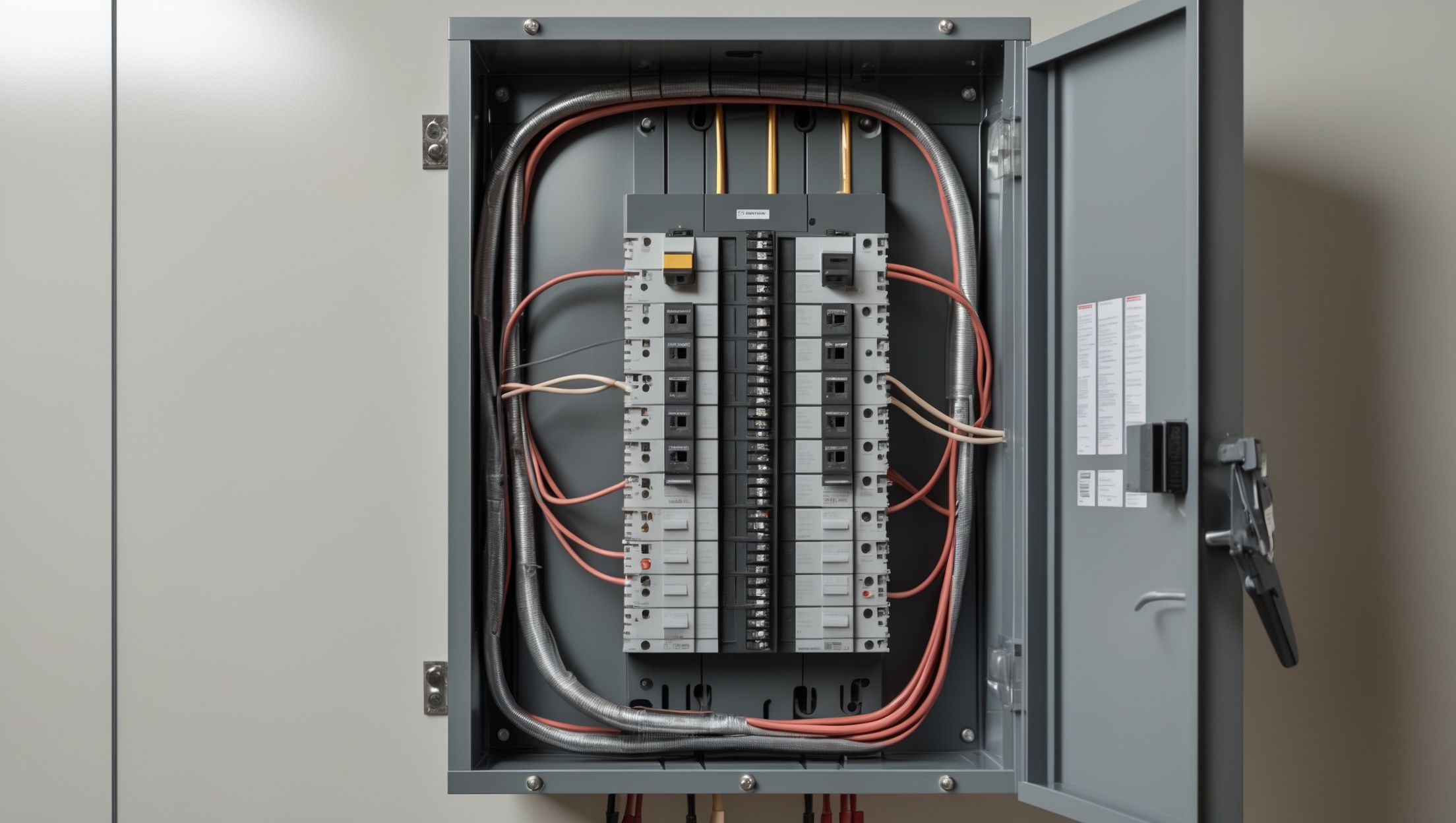
A whole-house surge protector is a robust solution, installed at your main electrical panel, designed to intercept large voltage spikes before they can wreak havoc. This guide delivers a detailed, practical walkthrough—from evaluating your surge risk and selecting the right protector, to step-by-step installation and essential maintenance. We’ll also break down costs and highlight common pitfalls, empowering you (or your electrician) to safeguard your home’s electrical system for the long haul.
Understanding Whole-House Surge Protection
What Are Power Surges?
A power surge is a sudden spike in voltage that exceeds the standard flow of electricity in your wiring. Even a brief surge can overwhelm sensitive electronics. While lightning is the most dramatic cause, over 60% of surges come from within the home—think HVAC compressors, refrigerators, or power tools cycling on and off.
Why Plug-In Strips Aren’t Enough
Plug-in surge protectors only shield devices directly plugged into them. Wiring, outlets, and hardwired appliances (like ovens and HVAC) remain exposed. Whole-house units intercept surges at the panel, offering system-wide protection.
How Whole-House Surge Protectors Work
These devices are typically installed adjacent to or inside your main panel. They divert excess voltage safely to ground, limiting what enters your circuits. Most use metal oxide varistors (MOVs) to absorb and dissipate spikes.
Assessing Your Home’s Surge Risk
Location and Environmental Factors
- Lightning-prone areas: Higher risk, especially with overhead power lines.
- Older homes: May have outdated wiring or grounding systems, increasing vulnerability.
- Frequent power outages: Grid switching and utility work can trigger surges.
Device and Appliance Inventory
- Count expensive or sensitive electronics (home theater, computers, smart appliances).
- Note major hardwired systems (HVAC, security, smart thermostats, solar inverters).
If your home relies on technology, surge protection is a wise investment.
Choosing the Right Whole-House Surge Protector
Key Specifications
- UL 1449 Certification: Ensures the device meets safety and performance standards.
- Maximum Surge Current Rating: Look for at least 20,000–50,000 amps; higher is better for severe storms.
- Clamping Voltage: The lower the clamping voltage (e.g., 400V), the better the protection.
- Response Time: Faster is better; look for <1 nanosecond.
- Number of Modes: Protection across all legs—line-to-neutral, line-to-ground, and neutral-to-ground.
Types and Installation Styles
- Panel-mounted (Type 2): Most common for residential use; installed at main or subpanels.
- Meter-based (Type 1): Installed before the main panel; often utility-approved.
Top Brands and Models
- Siemens FS140
- Square D HEPD80
- Eaton CHSPT2ULTRA
- Leviton 51120-1
Choose a unit compatible with your panel and sized for your home’s service (typically 200A for modern homes).
Cost Breakdown: What to Expect
Device Cost
- Mid-range: $100–$300
- High-end, heavy-duty units: $300–$600
Professional Installation
- Licensed electrician labor: $150–$400 (varies by region and panel accessibility)
- Total installed cost: $250–$1,000
DIY vs. Pro: What’s Allowed?
Some local codes allow skilled homeowners to install panel-mounted surge protectors, but most recommend or require a licensed electrician—especially if your panel is sealed or your home’s insurance policy stipulates pro work. Always check with your local permitting office.
Permits and Code Compliance
Surge protector installation typically falls under minor electrical work, but requirements vary:
- Permit: May be needed if wiring is altered or a new breaker is added. Check your municipality’s rules.
- Code: NEC Article 285 (Surge-Protective Devices) guides installations; UL 1449 listing is mandatory.
Always ensure your home’s grounding and bonding are up to code before installation—surge protectors rely on effective grounding to work safely.
Tools and Materials Checklist
- Whole-house surge protector (panel-mount, UL 1449 listed)
- Compatible circuit breaker (if unit requires dedicated breaker)
- Insulated screwdriver and nut driver set
- Wire stripper/cutter
- Voltage tester or multimeter
- Drill and hardware (for external mounting)
- Personal protective equipment: gloves, safety glasses
- Label maker or panel stickers (for future maintenance)
Step-by-Step Installation Guide
Safety First
- Turn off main breaker before any panel work.
- Confirm panel is de-energized using a voltage tester.
- Wear insulated gloves and safety glasses.
Installation Steps
- Review Manufacturer’s Instructions
Every surge protector is slightly different—always read the included manual. - Mount the Device
Most units mount on the side or bottom of the panel using included screws or brackets. Some models are designed for internal mounting in a breaker slot. - Knockout and Wire Routing
Remove an appropriate knockout from the panel. Run surge protector wires through a strain relief connector into the panel. - Electrical Connections
Wire the protector per instructions:- Black wires to a double-pole (240V) breaker or designated terminals
- White (neutral) to neutral bus bar
- Green or bare (ground) to ground bus bar
Keep wires as short and direct as possible—long leads reduce effectiveness.
- Secure and Label
Double-check connections. Secure wires using cable ties if needed. Label the breaker and surge protector for future reference. - Re-energize and Test
Turn the main breaker back on. Check the surge protector’s indicator lights—most units have an LED to confirm protection status. Record installation details for your maintenance log.
When to Hire a Pro
If you aren’t experienced with live electrical panels, hire a licensed electrician. Mistakes can lead to shock, fire, or ineffective protection.
Maintenance Best Practices
Regular Inspection
- Check indicator lights monthly. A red or unlit status means the unit needs replacement.
- Inspect after any major storm or power outage.
- Look for signs of heat, discoloration, or damaged wiring around the surge protector.
Service Life and Replacement
- Most whole-house surge protectors last 5–10 years, but their lifespan shortens with each major surge.
- If the indicator shows failure, replace the unit immediately—your home will be unprotected.
Record-Keeping
- Log installation date, model, and status checks in your home maintenance file.
- Note any surges or outages that may have triggered the device.
Common Pitfalls and Troubleshooting
Pitfalls to Avoid
- Ignoring grounding problems—surge protectors require a safe, low-resistance ground path.
- Excessively long wiring leads—reduces effectiveness.
- Improper breaker sizing—always match the surge protector’s requirements.
- Forgetting to check status lights—many units silently fail after heavy surges.
Troubleshooting Tips
- If indicator lights don’t illuminate after installation, double-check wiring and panel voltage.
- Repeated device failures may indicate underlying grounding or wiring issues—consult a professional.
- For persistent nuisance tripping, verify breaker compatibility and panel load.
Frequently Asked Questions
Can a whole-house surge protector save my electronics from a direct lightning strike?
No device can guarantee protection from a direct hit, but whole-house units greatly reduce risk from indirect strikes and utility surges. For high-risk areas, combine whole-house protection with point-of-use surge strips on sensitive electronics.
Is it worth installing a surge protector if I never experience storms?
Yes—most damaging surges originate inside the home. Protecting against these events is valuable regardless of weather patterns.
Does my insurance require a surge protector?
Some home insurance policies may offer discounts for surge protection or require it for high-value electronics. Check your policy and discuss with your provider.
Conclusion: Long-Term Peace of Mind for Your Electrical System
Installing a whole-house surge protector isn’t just about guarding against rare lightning strikes—it’s about everyday resilience for your entire electrical system. Modern homes are packed with sensitive devices, interconnected systems, and investments you want to last. With a properly selected, installed, and maintained surge protector, you gain broad-spectrum defense against both external and internal voltage spikes.
By understanding your home’s vulnerabilities, choosing a UL-listed unit, and following best practices for installation and upkeep, you’ll dramatically reduce the risk of expensive repairs, lost electronics, and data loss. While the upfront investment may feel significant, it pales in comparison to the cost of replacing a fried HVAC system or smart home hub.
If you’re comfortable with panel work and local codes allow, this can be a DIY project—but for most homeowners, hiring a pro ensures safety and compliance. Don’t forget to inspect your surge protector regularly and keep records—it’s easy to overlook, but your future self will thank you the next time the lights flicker during a storm.
Whole-house surge protection is a smart, proactive step in any comprehensive home electrical safety plan. With this guide, you have the know-how to make informed decisions, avoid common mistakes, and enjoy true peace of mind—no matter what the grid throws your way.